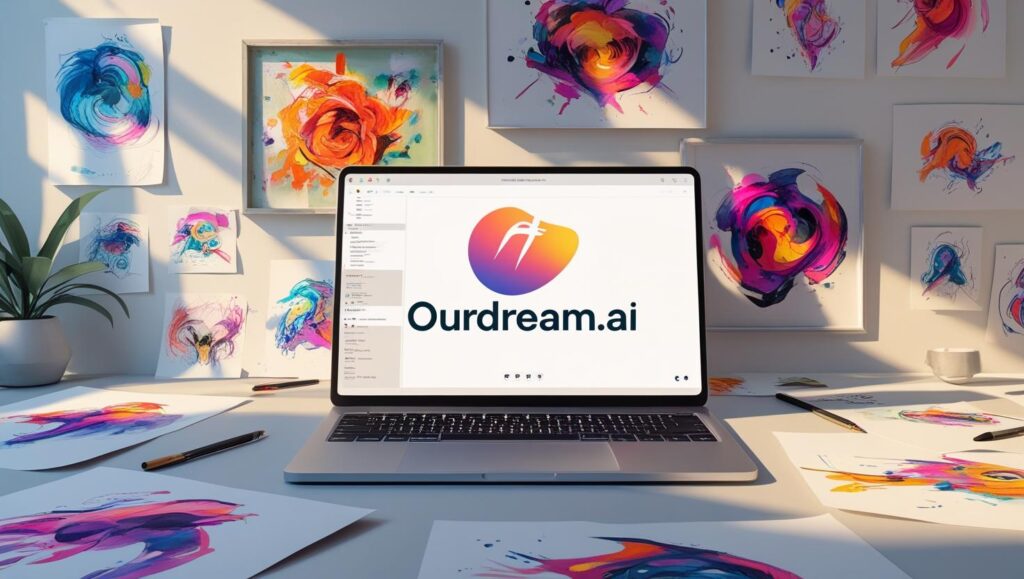
In the ever-evolving world of artificial intelligence, OurDream.ai has burst onto the scene as a powerful image-generation tool, attracting the attention of creatives, marketers, and AI enthusiasts alike. With its ability to turn written prompts into visually stunning images, OurDream.ai stands as a bold statement of how far generative AI has come—and where it might be headed next. But is it just another hyped-up AI tool, or does it really offer something special?
In this detailed review, we’re peeling back the layers of OurDream.ai to explore its features, performance, user experience, and real-world applications. We’ll compare it with top competitors, analyze pricing, and highlight both strengths and weaknesses so you can decide whether this AI platform is the right fit for your needs.
If you’re a digital artist, a content creator, or someone just looking to play around with AI-generated visuals, you’re in the right place. Let’s dive in.
Introduction to OurDream.ai
What is OurDream.ai?
OurDream.ai is an AI-powered image generator that leverages the latest advancements in text-to-image generation models. By simply entering a descriptive prompt, users can generate artwork, illustrations, concept designs, and photo-realistic images in seconds. It’s essentially a playground where imagination meets machine learning, offering limitless possibilities for creating visual content.
Launched with a strong focus on community, creativity, and accessibility, OurDream.ai has quickly become a favorite among digital artists and AI fans. It’s designed to be intuitive even for those with no prior experience in design or AI tools. Unlike some of its more complex competitors, OurDream.ai makes the creative process feel natural and even fun.
But what truly sets it apart is the speed and quality of its outputs. You don’t have to wait minutes or have a supercomputer; the image generation is often instant, and the results are stunningly accurate to the prompt.
Whether you’re aiming for fantasy landscapes, detailed portraits, or abstract concepts, OurDream.ai handles it with surprising finesse. And because it’s accessible via the web, there’s no need for downloads or installations—just type and go.
Why is it making waves in the AI art space?
OurDream.ai’s popularity isn’t just hype. The tool has been praised for its prompt accuracy, art style variety, and ease of use. It brings creative tools that once required specialized software and years of experience into the hands of anyone with an internet connection.
Artists love the stylistic freedom it offers—mixing mediums like oil painting, anime, realism, and surrealism. Marketers are leveraging it to create quick assets for campaigns. Even educators are using it to visualize abstract concepts.
Its rise also reflects a broader trend: the democratization of creative tools powered by AI. As barriers to entry are removed, more people can experiment with art and design, leading to more innovation and, frankly, a lot more fun.
Key Features of OurDream.ai
High-quality AI image generation
At the heart of OurDream.ai is its ability to deliver jaw-dropping visuals in a matter of seconds. The AI behind the platform uses advanced neural networks trained on massive datasets of images, which allows it to understand complex prompts and generate visuals that feel intentional and artistically sound.
Unlike earlier-generation tools, which often misinterpret words or return nonsensical images, OurDream.ai showcases impressive consistency. Whether you’re crafting a detailed fantasy world or a hyper-realistic product mockup, the quality doesn’t disappoint. Sharp details, cohesive composition, and a strong grasp of lighting and perspective make the generated images almost indistinguishable from those made by human artists.
Additionally, the tool supports high-resolution outputs, making it suitable for both digital and print uses. And for those needing variations or iterative refinement, OurDream.ai allows users to re-generate or fine-tune images using new parameters without losing their creative direction.
User-friendly interface
One of OurDream.ai’s standout features is its design simplicity. The layout is minimal, yet functional, and it’s clear that user experience was a top priority. Everything from entering a prompt to downloading the final image is seamless.
The clean interface removes the friction often found in AI tools. There’s no clutter, no confusing buttons, and no overwhelming menus. Just a text box, style options, and a button to generate. It’s that simple.
Even for first-time users, the learning curve is almost nonexistent. And with built-in suggestions for prompt writing and inspiration, OurDream.ai ensures that users are never left scratching their heads.
Prompt customization & control
Creative control is a major selling point. OurDream.ai offers a prompt strength slider, negative prompt options, and style filters to help you guide the AI’s imagination. Want a cyberpunk astronaut in a watercolor style? Done. Prefer a photorealistic cat riding a skateboard? No problem.
The inclusion of negative prompts is especially powerful. It allows you to filter out elements you don’t want, which leads to more accurate results. This kind of prompt refinement is often missing from other AI tools or hidden behind premium paywalls.
You also have control over image size, aspect ratio, and sampling methods. This flexibility makes it great for professional-grade projects as well as casual experimentation.
How OurDream.ai Works
The AI engine behind it
OurDream.ai operates on top of some of the most advanced open-source AI models available today, likely fine-tuned versions of Stable Diffusion or a similar framework. These models have been trained using vast datasets, learning to associate words and phrases with corresponding visual elements.
By analyzing the structure and semantics of your prompt, the AI generates pixel data that matches the description. It’s a form of “guided imagination,” where the AI isn’t guessing but instead building based on deep contextual understanding.
Unlike some black-box solutions, OurDream.ai also makes its process relatively transparent. You can adjust settings to influence how the model interprets your input, giving you both power and insight into how it works.
Steps to generate your first image
Getting started is ridiculously easy. Here’s how it works:
- Visit the OurDream.ai website
- Type your prompt – e.g., “a futuristic city at night with flying cars and neon lights”
- Choose a style or leave it open
- Adjust prompt strength or add negative prompts if needed
- Click ‘Generate’ and wait a few seconds
- Preview your image and download or regenerate if needed
That’s it. No installation. No complex workflow. No steep learning curve.
Supported styles and outputs
The beauty of OurDream.ai lies in its range. It supports dozens of visual styles including:
- Photorealism
- Anime
- Cyberpunk
- Fantasy
- Cartoon
- Surrealism
- 3D renderings
You can also tweak color palettes, mood, lighting, and visual tone with modifiers in your prompt. The results are typically provided in PNG or JPEG format, with support for various resolutions and aspect ratios.
Pricing and Subscription Plans
Free vs. Paid tiers
OurDream.ai is generous with its free tier, offering several image generations per day to non-paying users. While these are often slightly limited in resolution and style options, they provide a solid experience to test the platform.
The premium plan unlocks a wider range of tools, including:
- Faster generation speeds
- Higher resolution images
- Exclusive style filters
- Unlimited daily generations
- Priority access during server traffic spikes
Pricing typically starts at a monthly subscription rate, though there may be discounts for annual plans. The free version is great for casual users, but professionals or frequent users will likely benefit from upgrading.
Is it worth paying for premium?
If you’re using OurDream.ai for business or frequent content creation, the premium plan is well worth it. The boost in generation speed alone makes a big difference when working under tight deadlines.
The enhanced resolution and style access also allow for more polished, versatile outputs suitable for client work, marketing campaigns, or portfolio pieces. In short, the premium plan turns OurDream.ai from a fun toy into a serious creative tool.
Performance and Accuracy
Image clarity and detail
One of the most critical benchmarks for any AI image generator is the clarity and detail of its outputs—and OurDream.ai doesn’t disappoint. The visuals it produces are often razor-sharp, with high fidelity to the original prompt. Whether you’re generating a futuristic city skyline or a soft watercolor portrait, the level of detail is impressive. Textures, shadows, highlights, and even small background elements are well-defined, which makes the images suitable for high-end projects, not just social media posts.
The AI doesn’t just “guess” the look of things—it understands how light behaves, how textures contrast, and how to arrange elements compositionally. For example, if you request “a rainy street in Tokyo with neon signs reflecting on wet asphalt,” the AI nails the ambiance, moisture glints, and lighting reflections accurately.
What sets it apart is the reduced occurrence of common AI mishaps like distorted faces, extra limbs, or weird backgrounds. While not entirely error-proof, OurDream.ai seems to have a much more refined model than earlier tools.
Consistency of prompts and results
One of the pain points in AI art generation is prompt inconsistency—where you type the same prompt twice and get drastically different results. OurDream.ai handles this well by maintaining a reasonably high level of consistency. Although there’s still some natural variation (which can actually be a good thing for creative exploration), the tool often sticks close to the original intent.
The “prompt strength” feature is crucial here. By adjusting this setting, users can dial in how strictly the AI adheres to the prompt, helping them balance creativity with control. It’s a small but powerful tweak that can save you from a lot of back-and-forth regenerations.
Comparisons with competitors
Compared to platforms like Midjourney, DALL·E, and Dream by Wombo, OurDream.ai is a strong contender. While Midjourney offers more stylized outputs, and DALL·E has robust API support, OurDream.ai shines in ease of use, versatility of styles, and speed.
Here’s a quick comparison table:
| Feature | OurDream.ai | Midjourney | DALL·E 3 |
|---|---|---|---|
| Prompt Accuracy | High | Medium | High |
| Interface Simplicity | Excellent | Moderate | Good |
| Speed of Generation | Fast | Moderate | Fast |
| Style Variety | Very High | High | Medium |
| Community Access | Public | Discord-only | Public |
User Experience and Interface
Beginner-friendliness
For newcomers to AI tools, OurDream.ai is a breath of fresh air. The platform is designed with non-tech users in mind. There’s no coding involved, no intimidating terminology, and no steep onboarding. It welcomes beginners with a clean dashboard, helpful tooltips, and even sample prompts to get started instantly.
The prompt box is clearly visible and straightforward. Suggestions pop up as you type, giving guidance on how to shape your ideas. And if you ever get stuck, there’s a prompt gallery for inspiration.
For educators or professionals introducing AI to teams or students, OurDream.ai is a perfect starting point. It simplifies the experience without dumbing it down, striking a great balance between power and approachability.
Navigation and features
Navigation across the platform is intuitive. The top nav bar gives you access to your generated images, settings, subscription plans, and community forums. Each section is well-labeled and responsive, ensuring users spend more time creating and less time clicking through menus.
Some key features include:
- Prompt history for easy revisits
- Favorite or save image options
- One-click download
- Style presets and visual examples
- Custom aspect ratios
You can easily switch between light and dark modes, access your profile settings, and view your usage stats, all from a single dashboard.
Desktop vs. mobile experience
OurDream.ai performs best on desktop, where users benefit from a full-screen canvas and easier typing. However, it’s also surprisingly efficient on mobile. The layout adapts nicely to smaller screens, and the generate button is easy to access even when multitasking.
While it lacks a dedicated mobile app as of now, the mobile web experience is fast and functional. Whether you’re on a lunch break or commuting, it’s entirely possible to craft stunning visuals on the go.
Pros and Cons of OurDream.ai
What users love
Let’s talk about the good stuff first—because there’s a lot to love. OurDream.ai has cultivated a loyal user base for several solid reasons:
- Speed: Image generation is lightning-fast.
- Quality: Outputs are crisp, vibrant, and detailed.
- Ease of use: No technical know-how required.
- Creative freedom: Dozens of styles and prompt tools allow for wild experimentation.
- Free plan availability: You can test and explore without spending a dime.
- Community-driven: Regular updates based on user feedback keep the tool fresh and evolving.
The AI’s ability to interpret nuanced prompts is particularly appreciated. Want a “melancholy robot painter lost in thought”? You’ll probably get exactly that—and it’ll look amazing.
What could be improved
No tool is perfect, and OurDream.ai has its areas for improvement:
- No mobile app (yet): While mobile-friendly, a native app would improve accessibility.
- Limited post-editing tools: You can’t tweak the image much after generation, unless you regenerate.
- Occasional rendering glitches: Rare but possible—especially with complex human anatomy or overlapping objects.
- More documentation needed: Beginners may still wish for deeper tutorials or walkthroughs.
- No API access: Developers and businesses might miss having an API for automated generation.
These are minor gripes in an otherwise stellar experience, and it’s likely many of these will be addressed in future updates.
Use Cases of OurDream.ai
For artists and designers
For digital artists, illustrators, and concept designers, OurDream.ai is a game-changer. It can be used to:
- Generate ideas and mood boards
- Create quick prototypes or drafts
- Explore different art styles
- Speed up creative workflows
Instead of spending hours sketching, artists can generate multiple visual options in seconds. These outputs can serve as base inspiration or even as finished pieces, depending on the context.
It’s especially useful for visualizing fantasy, sci-fi, and surrealist scenes that are often hard to explain with words alone.
For marketers and entrepreneurs
Need product mockups, campaign visuals, or social media banners on a budget? OurDream.ai offers marketers a DIY approach to visual content. You can create custom visuals tailored to your brand tone, style, or message without hiring a designer.
It’s ideal for:
- Ad creatives
- Social media thumbnails
- Promotional illustrations
- Landing page assets
- Blog post feature images
Plus, with the ability to control style, aspect ratio, and tone, you can ensure visual consistency across campaigns.
For social media content creation
Content creators on platforms like Instagram, TikTok, YouTube, and Twitter can generate standout visuals in seconds. You can experiment with themes like:
- Aesthetic edits
- AI-generated memes
- Conceptual storytelling
- Profile art and thumbnails
The sheer speed at which you can generate high-quality images makes OurDream.ai a secret weapon for staying ahead in the fast-moving world of social media.
Customer Support and Community
Helpdesk, documentation & FAQs
OurDream.ai has built a decent support infrastructure. The help section includes FAQs, troubleshooting guides, and how-to articles that cover most of the common queries users might have.
Live chat isn’t available yet, but users can submit support tickets or use the contact form for more detailed assistance. Response times are fairly quick—usually within 24 hours.
The team also sends out regular newsletters with new feature rollouts, which helps users stay updated.
Community and social engagement
A growing user community is one of OurDream.ai’s strongest assets. The official Discord server and Reddit threads are buzzing with shared images, prompt ideas, feedback, and hacks for getting better results.
This kind of engagement builds a strong sense of belonging and encourages users to experiment and grow together. Many improvements made to the platform have come directly from community feedback, and the devs are active and responsive.
From monthly art challenges to prompt contests, there’s always something happening. It’s not just a tool—it’s a movement.